Android won't charge? We separate a dirty USB-C port from a dead cell.
Fast-charge bricks, lint in USB-C, and tired Galaxy cells all look like “it won’t charge.” We test the cable you actually use.
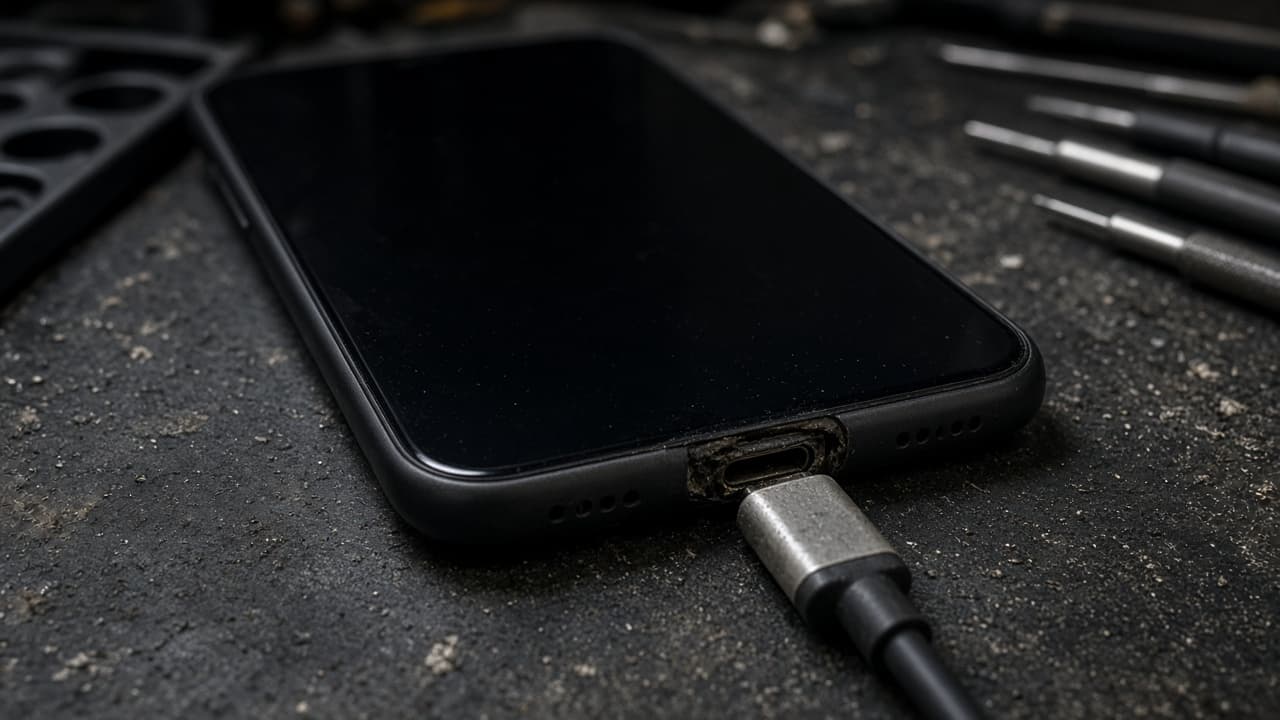
An Android that will not charge is often USB-C lint, a weak brick, a worn port, or a tired cell. It is not always a new Galaxy. We diagnose Android won't charge problems at all seven Lehigh Valley stores. Walk in. We quote before we start. Most port jobs finish the same visit when the part is in stock.
Almost every Android we see charges over USB-C. Seven stores. 10 AM to 8 PM (7 PM in Emmaus). We have cleaned and replaced those ports since 2025. Fast-charge bricks from cars and drawers lie. We test with a known-good lead first. Then we look in the port. Then we test the cell. Emmaus takes 10% off qualifying repairs. We will not invent a price. A Galaxy S-series dock is not an A-series dock. When the part is in stock, many USB-C replacements still finish in 30 to 60 minutes. Some boards need more. We say that before we heat the phone. Parts carry a 10-day warranty at most. Ask the technician to confirm it, and read the repair policy. Bring the brick from your nightstand, not a random car cord. Stop holding the plug at an angle. That finishes a port we might have cleaned.
USB-C fails in three boring ways
Debris. The port packs pocket lint until the plug only kisses one side. You hold it at an angle. That wears the receptacle. Stop twisting. Bring it in. We clean under light. Pins are easy to bend with a thumbtack. Do not do that at home.
The brick. A 10-watt cube will trickle a phone that used to fast charge. That feels like Android won't charge when it is actually slow charge. We test your brick and ours. If wireless works and wired does not, we stay on the port.
The cell. A swollen Galaxy battery can make charging look random. If the back is ticking up, read Android battery replacement and walk in the same day. We will not quote a port on a ballooned cell.
What we repair on the bench
Clean when the receptacle is still round. Replace the USB-C assembly when the phone only charges on a lucky wiggle. Board repair when a surge cooked the charge IC. That last one is the talk where a shop Android may be the saner spend. We say it.
Pixel and Galaxy wireless coils are extra tests. If the pad works and the cable does not, we do not sell you a battery. If both fail, we look at the cell and the board together. You still approve the line items.
Water in USB-C is common after a sink or a cup holder melt. Dry rice is a myth we will not repeat as advice. Bring the phone. We inspect. Heat guns at home cook the board.
Bring the brick you actually use
Walk into Emmaus, Breinigsville, Fogelsville, Walnutport, Bath, Nazareth, or Bangor between 10 AM and 8 PM (7 PM in Emmaus). Bring the USB-C cable from your nightstand, not a random car cord.
Free diagnosis. Quote first. In-stock ports are often 30 to 60 minutes. After the job we plug your cable. Charge should start without you holding the plug.
Keep the ticket. New liquid after pickup is not warranty.
iPhones use different plugs
Lightning and iPhone 15 USB-C are a separate write-up: iPhone will not charge. This page is Galaxy, Pixel, and the other Androids we can source parts for.
The iPhone version of this guide
Lint in Lightning, a tired USB-C port on iPhone 15, or a dead cell can all look the same. We test before we sell you a part.
iPhone Won't Charge: Port, Cable, or BatteryFrequently asked questions
Answers about Android won't charge at our seven Lehigh Valley stores.
The USB-C receptacle is worn or packed with lint. Stop holding it. That finishes the port. Walk in. We inspect, try a known-good cable, and quote a clean or a replacement dock. Forcing the plug is how a small job becomes a board job.
Yes. Fast-charge bricks in drawers fail a lot. Bring the one you use at night. We compare it to a known-good lead. If your brick is the problem, that is the cheapest Android won't charge fix we give. If the brick is fine, we look at the port and the cell next.
Yes, when the part exists for that model. Pixel and Galaxy docks are not interchangeable. We confirm the exact phone before we quote. If we cannot source the assembly, we tell you instead of fitting a cousin port that will not last.
A clean can be minutes. A USB-C replacement is often 30 to 60 minutes in stock. Charge-IC or water-board work takes longer. We name which job you have before we start. We do not sell a clean and then solder in silence.
Yes. Seven Lehigh Valley stores, 10 AM to 8 PM (7 PM in Emmaus), seven days a week. Bring the phone and the USB-C cable that fails. Book on the homepage only if you want a held time. Emmaus takes 10% off qualifying repairs.
No. Wireless charging that still works points at the cable side. A back that is swelling points at the cell. We test both so you do not buy a port when you needed Android battery replacement. Diagnosis is free and happens before any quote.
Walk in with the phone. We quote before we start.
Seven Lehigh Valley stores, 10 AM to 8 PM (7 PM in Emmaus). Most in-stock screen and battery jobs finish in 30 to 60 minutes.